

Get a clear playbook that helps teams work the same way every day. This guide gives a practical, repeatable method to build a business process documentation template you can use across your company.
Expect a long-form, step-by-step how-to that covers what to include, how to write instructions people will follow, which format to pick, and how to keep it current. The aim is simple: make tasks consistent, searchable, and less tied to memory.
This is for U.S. teams — ops managers, project leads, HR, and anyone who wants to standardize recurring work without slowing teams down. The template acts as a playbook for managers, leads, and new hires who need clarity fast.
We will show examples like approvals, troubleshooting, onboarding, and cross-functional workflows. You’ll also see how visuals — flowcharts, diagrams, and checklists — often explain decision-heavy steps better than text alone.
Key Takeaways
- Learn a repeatable way to create a usable documentation template.
- Follow step-by-step guidance on writing clear, actionable steps.
- Use visuals to simplify complex workflows and approvals.
- Apply the playbook across teams to cut errors and speed onboarding.
- Maintain files so the system stays useful as teams and tools change.
Why process documentation templates boost productivity and consistency
A ready-made guide for recurring tasks turns scattered know-how into reliable output. When teams have a clear structure, they stop guessing and save valuable time.
Templates answer the “how do we do this again?” question so team members don’t recreate steps every time. That cuts delays and keeps everyone moving.
Stop reinventing the wheel for recurring tasks
Imagine a marketing lead on vacation. Without written steps, others hunt for answers and miss deadlines. With a simple guide, work keeps flowing and errors drop.
Create a comprehensive record of protocols across teams
Centralized documentation captures protocols so the whole team follows the same procedures. New hires or those joining mid-project can follow the same rules without guesswork.
Reduce key person risk when an expert is out or leaves
When a client account lead departs, documented steps let another teammate step in smoothly. Clear instructions replace tribal knowledge and prevent service gaps.
Lower operational damage by reducing mistakes and ambiguity
Ambiguity costs money: missed approvals, rework, and poor customer experiences. Turning assumptions into explicit instructions reduces mistakes and keeps quality steady.
Spot redundancies and opportunities for automation
Writing out workflows often reveals duplicate tasks like repeated data entry or status checks. Those gaps are prime candidates for automation — ticket routing, canned replies, or form-driven tasks.
“Consistent documentation leads to faster onboarding, less firefighting, and predictable delivery across departments.”
- Benefits: more consistent outputs, faster onboarding, and fewer emergencies.
- Documented steps expose automation chances and cut hidden costs.
- Central records keep teams working the same way, every time.
What a process documentation template is and when to use one
A clear form that captures steps, owners, and approvals makes repeatable work simple and fast.
This definition: a standardized form that records the purpose, scope, step-by-step instructions, owners, and approvals so critical details are never missed.
How templates standardize documents and procedures
Templates enforce consistent sections—purpose, scope, steps, owners, approvals—so teams fill the same blanks every time.
That consistency helps teams document processes and procedures with fewer gaps and faster onboarding for new employees.
Best times to document
Document when you onboard new employees, launch a tool, scale a team, or see recurring issues. Also update after compliance changes or a major project wrap-up.
- Use it now checklist: task repeats, needs approvals, causes frequent errors, or relies on one expert—document it.
- Mapping current workflows makes optimization visible. Teams can remove steps, fix handoffs, and speed delivery.
“The goal isn’t red tape — it’s making the right way the easy way.”
Next: a concrete list of what to capture in every document so your organization can build a reliable library. For deeper reading, see this short guide.
What to capture in every process document
A concise set of fields keeps documents scannable and prevents critical information from getting lost.
Purpose, scope, and boundaries
State the goal and list what the document covers—and what it does not. Call out systems, SLAs, and compliance limits so readers know constraints.
Process start and end points
Define the trigger and the handover that marks completion. Clear start/end points stop arguments about ownership.
Inputs, outputs, and required resources
List forms, data sources, tools, logins, and artifacts needed to run the steps. Note expected outputs and where results are stored.
Roles, owners, and team members
Name the owner, doers, reviewers, approvers, and backups so coverage is obvious when someone is absent.
Decision points, approvals, and handoffs
Document who approves what, what evidence is required, and what triggers escalation. Map handoffs between departments and attach required artifacts.
Tip: For a practical checklist and deeper guidance, see the process documentation guide.
How to create process documentation that people will actually follow
Start by naming the workflow clearly and stating the exact outcome so anyone knows when the job is finished. A short purpose and a measurable finish line make the guide useful at a glance.
Name the task and define the outcome
Give the work a clear title and one sentence that defines success. State time expectations and target owners so readers know who is accountable.
Break the workflow into clear, repeatable steps
Use numbered steps with a consistent verb at the start of each line. Note expected timing and the person responsible for each step.
Map the flow with visuals
Flowcharts and simple maps cut ambiguity for cross-team handoffs and approvals. Use a flow when decisions or parallel work exist.
Document exceptions and troubleshooting
List common exceptions, quick checks, likely causes, and next actions. That structure saves time and reduces stress during incidents.
Test, refine, and publish
Have an employee follow the guide cold, note hesitations, then revise. Publish the final version in a centralized, searchable knowledge base so the whole team can find information fast.
Choosing the right format for your workflows
Choose the right visual or written format to make each workflow easy to follow and hard to misinterpret. Visuals improve clarity and help teams retain steps faster than long paragraphs.
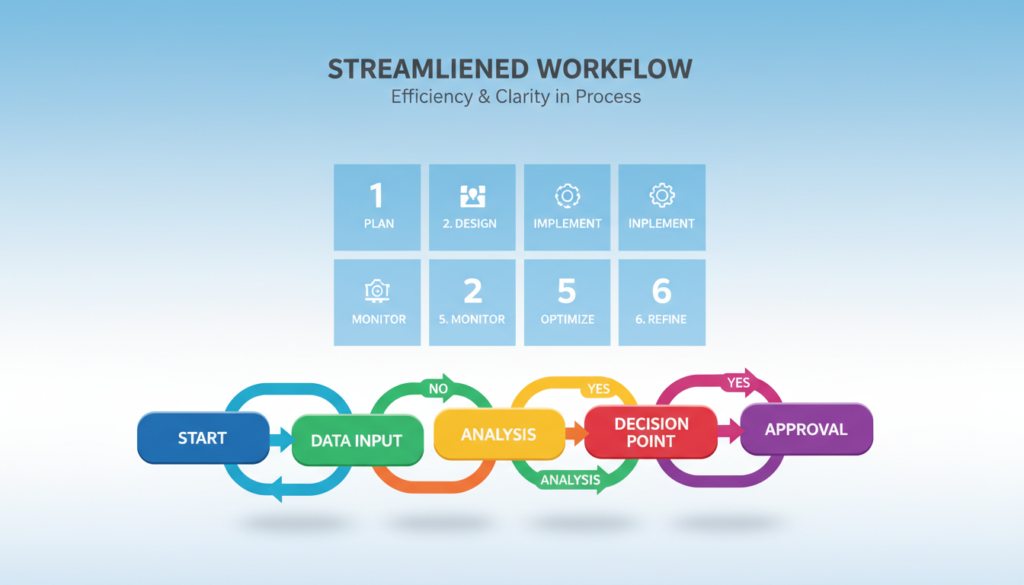
Workflow diagrams for cross-functional processes
Use workflow diagrams when many teams touch the work. Diagrams show handoffs and reduce the “who owns this now?” gap. Swimlanes highlight owners and timing.
Process flowchart templates for rigid procedures and decisions
Pick flowcharts for branching decisions and regulated steps. A clear flowchart maps conditional paths so the next action is obvious.
Process checklist templates for repeatable tasks and audits
Checklists shine for sequential, repeatable routines and audits. They ensure no step is skipped and speed monthly or recurring work.
Standard operating procedures for formal, compliance-heavy work
SOPs are more formal. They use stricter version control, named roles, and compliance notes. Use SOPs when audit trails and controls matter most.
- Format picker: sequential → checklist; branching → flowchart; multi-team → workflow diagram; regulated → SOP.
“Match form to complexity: the right format makes execution faster and errors rarer.”
Keep naming, owners, and revision dates consistent across all templates so your documentation library stays cohesive. Many teams combine formats into one playbook for daily use.
business process documentation template
Build a single reference that mixes high-level goals with exact steps for quick handoffs.
How to structure a playbook that management and new employees can use
Start with a concise overview, then list core workflows by department. Add cross-functional maps, an approval matrix, and direct links to forms. Keep context short so readers see purpose, then exact steps they can follow.
Where to add controls for sensitive data and access permissions
Include an access table that ties roles to permitted actions. Note secure storage locations and approved sharing tools. Add redacted examples so members know what to hide and how to share safely.
Examples that benefit from flowcharts and approvals
Use a flowchart for multi-signature tasks like equipment requests. Map termination workflows and finance reviews to reduce mistakes. Embed decision criteria: required evidence, reviewer, and turnaround time.
| Use case | Why a flowchart helps | Key controls |
|---|---|---|
| Equipment acquisition | Shows sign-off order and parallel approvals | Spending limits, approvers, receipt storage |
| Employee termination | Ensures legal steps and assets return | Access revocation, HR reviewer, secure records |
| Finance disciplinary review | Defines escalation and evidence flow | Audit trail, reviewer roles, retention rules |
Quick playbook readiness checklist:
- Overview + clear owners
- Access controls and storage rules
- Flowcharts for approval-heavy work
- Decision criteria inside approvals
- Published in a searchable company hub
Collaboration: how to document processes with the right people
When the right members collaborate, gaps close and handoffs become predictable.
Make documentation a team project. Never write a guide alone when multiple groups touch the work. Bringing together representatives avoids assumptions and stops “someone else handles it” blind spots.
Who to include
Use one rep per department, one accountable owner, and clear reviewers and approvers. This stakeholder model keeps updates moving and makes ownership obvious when people change roles.
Run a fast workshop
Map the current flow, list pain points, agree decision points, and attach required artifacts. Capture tribal knowledge via short interviews, screen recordings, and shadow notes.
“Shared creation builds trust — members follow a document they helped shape.”
| Role | Responsibility | Output |
|---|---|---|
| Department rep | Verify steps and tools | Section content + artifacts |
| Process owner | Approve updates, set cadence | Revision log |
| Reviewer/approver | Validate decisions and controls | Sign-off record |
Resolve disagreements by documenting the happy path first, then add exceptions and escalation rules. Use comments and version history so feedback stays visible and auditable.
Result: when team members help create the document, adoption rises and the organization keeps reliable records without single-person risk.
Tools and templates to build faster documentation
Pick tools that match your team’s speed and the visual detail your workflows need.
Visual-first libraries like Venngage offer drag-and-drop charts and real-time collaboration. They make flowcharts and infographics easy to edit and share. Teams get polished visuals without a designer on hand.
Microsoft Word and its limits
Microsoft Word supports SmartArt and basic diagrams. It works well for text-heavy SOPs and long-form documents.
But Word can slow iteration when visuals or swimlanes are needed. If your guides require frequent edits or rich diagrams, consider a visual tool instead.
Google Docs and Google Drawings
Google Docs plus Google Drawings is a lightweight option for quick flowcharts. It fits teams already in Drive and offers simple sharing and version history.
Expect fewer polished templates, but fast collaboration and easy access make it useful for checklists and one-page guides.
Free templates and customization
Smartsheet and similar sites provide free process document templates you can adapt. When you customize, align terminology, add owners and SLAs, and map approvals to your org chart.
| Tool | Best for | Key advantage |
|---|---|---|
| Venngage | Visual flowcharts, infographics | Drag-and-drop visuals + real-time editing |
| Microsoft Word | Text-heavy SOPs | Familiar editor, strong text formatting |
| Google Docs + Drawings | Lightweight charts, shared edits | Fast collaboration in Drive |
| Smartsheet (free templates) | Starter forms and checklists | Ready-made samples that are editable |
Choose simple tools for checklists and stable tasks. Use a robust diagram tool when you need swimlanes, branching logic, or multiple reviewers.
Final tip: keep one naming convention, a linked resource hub, and a shared folder so documents stay easy to find and reuse.
Rollout and maintenance: keep process documents accurate over time
A clear rollout plan is the make-or-break step that decides whether teams use the guide or ignore it.
Most rollouts fail because people don’t know where the document lives or which version to trust. When that happens, teams ask around instead of following written steps.
Create a simple update cadence and version control rules
Maintain a short review schedule: monthly for high-risk items, quarterly for routine guides.
Use a visible revision date, a changelog entry, and an approval trail so readers see the latest edits at a glance.
Train teams to use the template as the single source of truth
Run brief onboarding sessions for employees and add links in project tools. Make “check the doc first” a team norm.
Tip: show how to find the owner and raise a hotfix request so updates stay fast and safe.
Measure adoption and improve after launch
Track page views, checklist completions, and reduced cycle time. Watch for fewer Slack/Teams questions and fewer escalations.
Set a lightweight governance model: who can edit, who signs off, and how to apply urgent fixes without breaking controls.
Feedback loop: collect friction points, simplify steps, refresh visuals, and retire outdated guidance. Start with high-impact guides first, then expand the library.
| Area | What to track | Why it matters |
|---|---|---|
| Access & discoverability | Landing page clicks, search hits | Shows if teams can find the document |
| Use & completion | Checklist completions, task confirmations | Confirms steps are followed |
| Quality & stability | Revision frequency, hotfix count | Highlights unstable or unclear guidance |
| Impact | Cycle time, escalation rates, error count | Measures operational benefits and time savings |
Benefits: consistent operations, less downtime, and faster execution because teams trust the document they read.
Conclusion
Wrap up with a clear playbook that teams can open, follow, and trust day after day. This process documentation gives a reusable template and a simple guide to make work faster, clearer, and more consistent across your company.
Good documentation stops reinvention. It reduces risk when people are out and cuts mistakes caused by ambiguity.
How to do it: capture purpose, owners, steps, and handoffs; pick the right format—checklist, flowchart, or SOP; collaborate with stakeholders; test with a real user; publish centrally. Use one solid template to start and refine it.
Start small: document one high-impact task like onboarding or approvals, measure adoption, and expand. Commit to regular updates, assign an owner, and make the guide the trusted playbook for your business.