
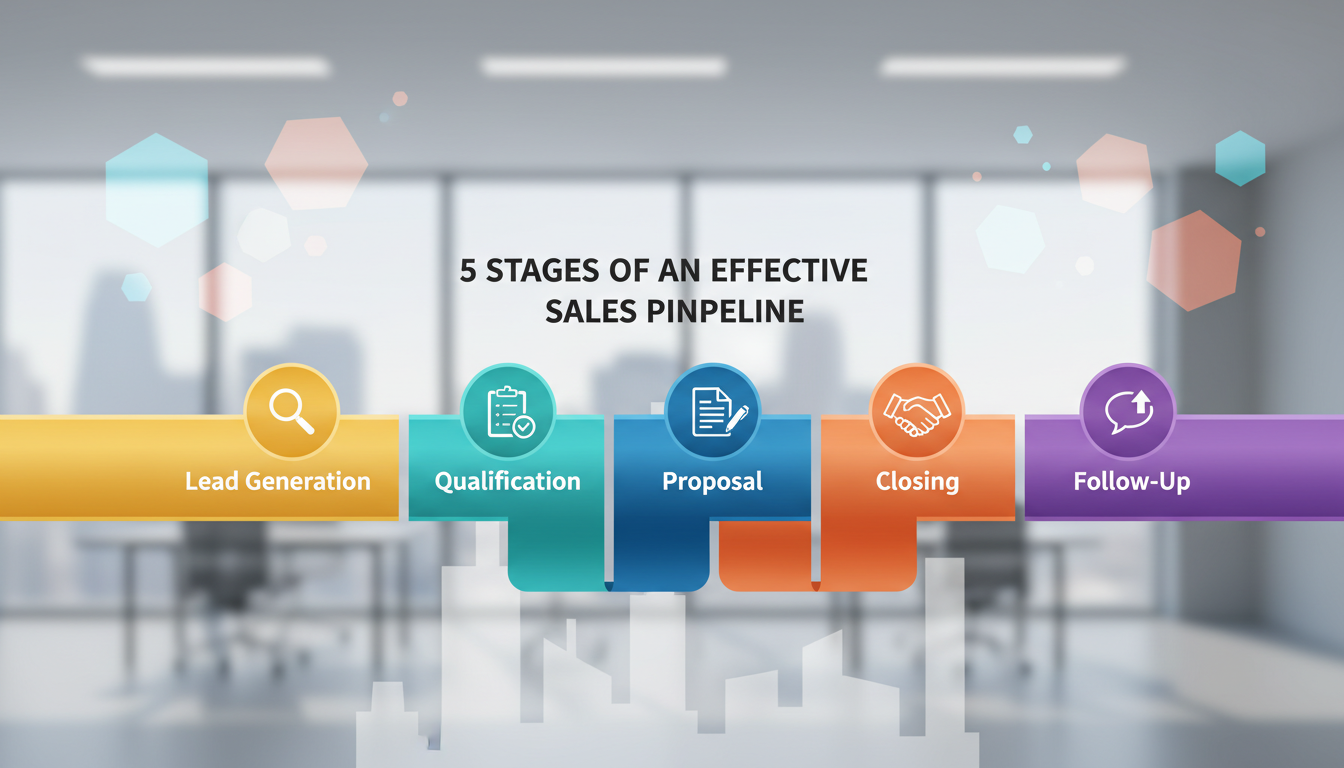
It starts every week the same way: reps say a big deal is nearly closed, while leaders still can’t name the expected revenue. That mismatch makes forecasts feel like guesses.
This guide gives a practical map of the five core steps and the rules that stop wishful thinking. You’ll get clear exit criteria, time-in-stage limits, and the actions that prove progress.
Hint: this is not just CRM fields. A true system is a repeatable sales process that tracks milestones, next steps, and ownership for each deal.
We’ll compare pipeline vs funnel, show how to design each stage, and share hygiene and forecasting best practices for fast-moving US B2B teams. Expect tips for multi-stakeholder deals, inbound and outbound motions, and keeping data clean for reliable forecasts.
Who this is for: reps, managers, RevOps, founders, and anyone who needs steadier revenue. Read on to make visibility and accountability the norm.
Key Takeaways
- Understand the five-stage map and what actions move a deal forward.
- Use exit criteria and time limits to avoid wishful forecasting.
- Treat the system as a repeatable sales process, not just CRM fields.
- Keep data clean to improve forecast accuracy in US B2B motions.
- Roles: reps, managers, RevOps, and founders all play a part in predictability.
Why a Clearly Defined Sales Pipeline Fixes Forecasting Chaos
Forecasts go wrong when judgment replaces evidence. A clearly defined process gives teams a common checklist to mark real progress. When definitions are vague, a rep’s “90% likely” is just a feeling, not proof.
What breaks when reps “feel” a deal is 90% likely
When probability is based on vibes, operations fray quickly. Leaders lose trust in numbers. Reps over-commit and miss priorities. Marketing can’t schedule campaigns. RevOps ends up cleaning messy data instead of optimizing tools.
- Forecasts become unreliable because evidence is missing.
- Deals sit too long — one team sees 90 days in negotiation vs a 14-day average.
- Quarter goals fail when subjective calls drive planning.
How a shared language keeps teams aligned
Agreeing on definitions shifts reviews from opinion to proof: what happened, what’s next, and what’s blocked. Clear criteria expose deal rot early and save time.
With a common vocabulary, sales, RevOps, and leadership all read the same scoreboard. The rest of this guide will define the process, compare it to the funnel, and then walk through each stage with rules that keep deals moving.
What Is a Sales Pipeline in Today’s Sales Process?
The pipeline is the team’s living narrative: what happened, what’s next, and who owns the work. It’s a process view that tracks an opportunity from initial contact to closed deal. Each entry shows status and the actions required to progress an opportunity.
The pipeline as a process view of revenue from initial contact to closed deal
A clean definition helps everyone read the same scoreboard. This process covers outbound, inbound, and product-led motions so work across channels is comparable.
When it makes sense to extend the pipeline into onboarding and expansion
For subscription businesses, extending the flow past Closed Won into onboarding and expansion ties adoption to retention and upsell. The tradeoff: added visibility only pays off if you define clear handoffs and ownership between sales and customer success.
- Why teams rely on it: it turns activities into forecastable revenue.
- Keep it usable: every opportunity should have a short “what happened / what’s next” note that matches its stage definition.
Sales Pipeline vs. Sales Funnel: The Roadmap vs. the Traffic Report
Think of the pipeline as a city map and the funnel as its traffic camera.
The map shows the route: specific actions, key milestones, and who owns each move. Those defined checkpoints make the process teachable and repeatable.
The traffic camera counts volume. It reports how many leads enter, where they drop off, and overall conversion rates. That view diagnoses top-of-funnel health.
How the two views differ in practice
Pipeline stages track what reps do and what buyers confirm. Use them for coaching and to prove momentum.
Funnel reporting measures flow: lead volume, conversion by step, and leaks that need marketing or demand fixes.
| View | Primary focus | Typical metrics | Use case |
|---|---|---|---|
| Roadmap | Actions & milestones | Next steps completed, time-in-stage | Execution, coaching, forecast confidence |
| Traffic report | Volume & conversion | Lead count, conversion rate, drop-off points | Demand gen health, funnel optimization |
| Combined | Full picture | Forecast accuracy, pipeline velocity | Diagnose problems and prioritize fixes |
Example: a big inflow of inbound leads can swell the funnel. But if the roadmap lacks clear checkpoints, forecast accuracy still fails.
Once you see the difference, design measurable, consistent checkpoints that tie the traffic report to on-the-ground work.
Why Pipeline Stage Design Matters for Revenue and Pipeline Management
Clear stage design turns subjective hope into measurable revenue signals. When checkpoints are consistent, probabilities come from history, not guesses.
Improved forecasting accuracy with stage-based probabilities
Assigning a probability to each step makes forecasts testable. Over time, those percentages become reliable because they reflect real conversion rates.
Better hygiene to spot stalled deals and inflated forecasts
Defined checkpoints expose odd time-in-step patterns. Teams can flag stalled opportunities and remove “zombie” entries before they distort a quarter.
Rep accountability and performance insights
With shared definitions, coaching targets real gaps. Managers can say, “Deals stall in discovery,” instead of giving vague advice.
- Do: log next steps and customer notes after every interaction.
- Do: move or remove an opportunity based on evidence, not hope.
- Do: use stage-level data to decide where to invest in enablement, messaging, or pricing.
Next: stage design only works if each checkpoint has a clear “done means done” exit criterion.
Sales Pipeline Stages and Exit Criteria: The Rules That Keep Deals Moving
When teams agree on what ‘done’ looks like, deals move faster and forecasts improve. Clear exit criteria remove opinion from progress and force reps to show proof before advancing an opportunity.
How to write “done means done” exit criteria for every step
Use plain language. List the exact proof points required to move forward—no vague phrases.
- Strong examples: confirmed budget, scheduled demo with decision-makers, proposal reviewed by procurement.
- Weak examples: “they’re interested,” or “we had a good call.”
Time-in-stage expectations to catch deal rot early
Set expected time windows for each step and flag entries that exceed them. These benchmarks act as early warnings and protect the quarter from stale entries.
| Checkpoint | Exit criteria (example) | Time expectation |
|---|---|---|
| Qualification | Budget confirmed; decision-maker identified | 7–10 days |
| Discovery | Needs documented; mutual action plan agreed | 5–14 days |
| Proposal | Proposal delivered; reviewers assigned | 7–21 days |
Quick tip: use a short points-style checklist for each stage so reps capture stakeholders, pain, timeline, and next steps. The next five sections will walk through each step with specific activities and exit criteria.
Stage One: Prospecting and Customer Research
Great forecasting begins before the first outreach; it starts with the right targets.
Pipeline performance first depends on input quality. The better the prospect you add, the higher the close rate and the shorter the cycle.
Build an ICP from real customer data
Use historical customer patterns to create a clear profile. Look at industry, company size, tech stack, buying triggers, and typical pain points.
Find decision-makers and buying signals
Identify titles and contact paths before outreach. Watch for funding rounds, regulatory needs, or tool replacements as intent signals.
Daily habits: email, calls, and targeted contact
Block daily prospecting windows that mix a few personalized email sequences and short calls. Consistent activity beats feast-or-famine bursts.
Inbound as the warm lane
Prioritize inbound leads like downloads or contact forms. They bring warmer intent and shorter paths to qualification.
| Input | What to capture | Why it matters |
|---|---|---|
| ICP | Industry, size, tech, triggers | Targets high-fit prospects |
| Buying signals | Funding, hires, compliance | Shows timing and urgency |
| Contact data | Role, email, phone | Enables precise outreach |
Exit criteria: rep has role, relevance, and a reason-to-believe based on data and can start tracked outreach with confidence.
Stage Two: Initial Contact and Lead Qualification
The first contact sets the tone for every opportunity and determines how clean your forecast will be.
Initial contact can arrive via outbound calls, personalized email, or inbound requests. Log each touch with a short note: who answered, what was asked, and the agreed next step. That simple discipline gives leaders visibility and prevents duplicate outreach.
First-touch channels and logging
Calls should capture decision-maker names and availability. Emails need a clear subject and one-call-to-action. Inbound requests must be triaged quickly and assigned an owner.
Lead scoring to prioritize
Use a practical lead scoring model that weights fit and intent. Prioritize leads showing product interest, budget signals, or timeline. De-prioritize high-activity contacts that lack buying indicators.
Qualification frameworks and PQLs
Use BANT for straightforward enterprise checks and GPCTBA/C&I when you need outcome-based context. Add PQL signals for product-led opportunities—time in product, key feature use, or repeat activation.
Alignment and exit criteria
Marketing, RevOps, and the reps must agree on what “sales-ready” means. Exit criteria: confirmed fit across use case, authority, budget reality, and timeline, plus a scheduled next step—not just a friendly call.
Stage Three: Discovery and Needs Analysis
Discovery is where assumptions die and real buyer needs surface. This stage turns initial interest into clear requirements and a shared plan.

Discovery calls that uncover pain, goals, and success criteria
Run layered, open-ended questions and then listen. Start with symptoms, then dig to root causes and measurable outcomes.
Ask about current workflows, timeline pressures, and what happens if nothing changes. Record decision dynamics and who signs off.
Documenting requirements and mapping to your product
Capture requirements, stakeholders, risks, and the buyer’s definition of success. Short notes after the call keep information accurate.
Map each requirement to a specific product capability or broader solution outcome. Focus on outcomes, not feature lists.
Exit criteria: alignment and clear next steps
- Problem-solution alignment: documented match between needs and your offering.
- Stakeholder clarity: roles, approval path, and timing identified.
- Mutual next step: agreed evaluation plan and owner for the next interaction.
Stage Four: Solution Presentation, Demo, and Proposal
Show, don’t tell: demos that mirror the prospect’s workflows win faster decisions.
Tailor the demo to the exact use case uncovered in discovery. Use the prospect’s industry language and walk through a day-in-the-life scenario that uses your product to solve their problem.
Prove ROI with relevant examples
Use short case studies that match the buyer’s priorities — time saved, risk reduced, or revenue gained. Quantify outcomes with numbers and timelines to make the value tangible.
Proposal essentials and timing
Keep proposals simple: clear scope, pricing, deliverables, implementation expectations, and an approval timeline. Time delivery around internal budget cycles and procurement checks like security and finance to avoid rework.
Practical tools: CRM and proposal templates, e-signature, and scheduling tech cut delays and keep momentum.
“When demos speak the buyer’s language, objections turn into clarifying questions.”
Exit criteria: explicit buyer intent to proceed and decision-makers actively reviewing terms with a planned decision date.
Stage Five: Negotiation, Commitment, and Closing the Deal
Closing is less about winning an argument and more about keeping forward motion until signatures arrive. This final phase is a momentum game: delays increase doubt and let competing priorities kill opportunities.
Keep momentum with a framework for objections
Use a short, repeatable approach to handle pushback: clarify the objection, restate value, address risk, and confirm timing. That keeps answers consistent and reduces improvisation.
Coordinate approvals in parallel
Run legal, finance, and leadership reviews at the same time when possible. Assign one owner to track each checklist so approvals don’t become hidden blockers.
Exit criteria and closing precision
Exit criteria: capture a verbal or written commitment, then secure a fully executed agreement. Log the signed contract and the exact terms, budget line, and go-live date.
“Document what closed the deal. That makes repeatability simple and onboarding faster.”
| Role | Responsibility | Typical timeline |
|---|---|---|
| Legal | Contract review; terms confirmation | 2–7 days |
| Finance | Budget sign-off; invoicing terms | 1–5 days |
| Executive | Final approval; strategic buy-in | 1–3 days |
After the Close: Onboarding, Adoption, and Upsell Opportunities
Onboarding is where buyers see if your solution keeps its promise. This phase protects the deal and makes early adoption visible.
Why some teams keep onboarding inside the pipeline
Many organizations extend the flow because adoption is the point where promised value converts into realized revenue. Treating onboarding as part of the tracking system prevents handoff gaps that increase churn risk.
What good onboarding looks like
Operationally, good onboarding includes clear goals, early wins, and focused training. Create a shared success plan and schedule checkpoints that show progress.
Handoff best practices to customer success
Deliver full context: pain points, stakeholders, agreed outcomes, negotiated terms, and any red lines. That lets the customer continue the conversation without repeating information.
- Document primary contacts and decision-makers so customer success knows who to involve.
- Share historical notes and deliverables so implementation matches expectations.
- Flag expansion signals early—usage metrics and quick wins open doors for more seats or modules.
Continuity wins: when onboarding mirrors the demo and proposal story, customers gain confidence and the chance for expansion grows. Keep the handoff tight and focused on outcomes.
How to Customize Pipeline Stages for Your Business and Buyer Journey
Match your stage count to how fast deals close and how complex approvals are. Keep the design simple for quick, transactional offers and add checkpoints when approvals require real review.
Choose the right number based on velocity
For high-velocity deals, fewer checkpoints mean less admin and faster movement. A compact flow focuses reps on conversions and shortens cycle time.
For enterprise deals, add granular steps to reflect real buyer work—budgeting, security review, and leadership approval.
Add sub-checkpoints for complex approvals
Use sub-stages when approvals are discrete milestones. Label them clearly (legal review, security assessment, final approval) so progress is visible and forecastable.
Assign probabilities and expected time-in-step
Base probabilities on historical close rates tied to exit criteria, not guesswork. Track average time in each step by segment (SMB, mid-market, enterprise).
That exposes slow deals and keeps forecasts realistic.
When to change your design
Run a configuration for at least two quarters before adjusting. That gives you apples-to-apples data and avoids reactionary tweaks.
Remember: customization should mirror the buyer journey for your business, not copy another company’s CRM columns.
| Sales complexity | Recommended number | Key extra checkpoints |
|---|---|---|
| High-velocity (SMB) | 3–5 | Qualification, demo, close |
| Mid-market | 5–7 | Discovery, proposal, procurement check |
| Enterprise | 7–10+ | Legal review, security, exec approval |
Best Practices to Optimize Every Pipeline Stage
Small operational fixes at every checkpoint add up to major improvements in win rates. Start with three repeatable habits that reduce admin, surface blockers, and make progress measurable.
Automate activity capture so reps spend more time selling
Connect email, call, and calendar tools to capture touches automatically. That cuts manual CRM updates and keeps notes current.
Result: reps focus on customer work, not data entry, and activity history becomes reliable evidence for forecasting.
Run regular reviews to surface stuck deals and next steps
Hold a short weekly review that moves stage-by-stage. Focus on evidence, blockers, and a single next customer commitment per opportunity.
Good reviews stop the “90% forever” problem by forcing owners to state what will happen and when.
Use stage-level analytics to pinpoint leaks and improve conversion
Track conversion rates, average time in each step, and velocity by segment. That data shows where deals drop and where enablement is needed.
Small changes—tighter discovery scripts, demo templates that mirror buyer workflows, or mapped procurement checklists—often lift conversion more than big reorgs.
Use data consistently over time to measure whether changes reduce cycle time and raise win rates. For practical next steps, see this guide on pipeline management best practices.
Tools for Pipeline Management: CRM vs Spreadsheet (and Why It Matters)
Choosing the right tool for tracking opportunities decides whether your team chases work or finishes it. For tiny, early efforts a simple spreadsheet can keep notes and priorities. It is cheap, flexible, and fast to set up.
When a spreadsheet works and when it breaks down
A spreadsheet is fine for solo reps or fewer than ~10 active deals. It helps while you test messaging or refine your ideal-customer profile.
It breaks as volume or team size grows. Common failure modes: version control, missing activity history, inconsistent fields, and weak collaboration around next steps. Those gaps hide risk and slow closing.
CRM benefits: collaboration, reminders, automation, and cleaner data
CRMs give shared visibility and simple reminders so follow-ups don’t slip. They capture touches, centralize contacts, and make forecasting cleaner by keeping consistent fields and timestamps.
Automation cuts manual updates and frees reps to focus on buyer work. A good CRM fits rep workflows so it actually stays updated — that is the core of good management.
Supporting visibility with sales performance tools
Tools like CaptivateIQ add a visibility layer. They connect real activity to planning, analytics, comp alignment, and automation. The result: fewer lost deals, faster cycles, and forecasts leaders can trust.
Common Sales Pipeline Mistakes That Hurt Conversion and Revenue
Too many teams hide uncertainty behind vague progress notes, and that costs real opportunities.
Blurry definitions that cause inconsistent deal movement
When checkpoints are vague, reps “move” opportunities without proof. That inflates forecasts and hides true blockers.
Fix: write clear exit criteria and require a documented proof point before advancing a stage.
Letting cold or unqualified leads clog the pipeline
High volume of unqualified lead records wastes time and lowers conversion. Treat fit and intent as gatekeepers.
Clean approach: remove cold contacts from active work, move them to a nurture list, and set a timed reminder for later follow-up.
Over-managing vs. building a usable, repeatable process
Too many rules and micro-steps create admin friction. Reps stop updating the system and visibility collapses.
Aim for a lightweight process that mirrors how buyers buy, with practical exit checks and simple time limits.
| Mistake | Symptom | Quick fix |
|---|---|---|
| Vague definitions | Inflated forecasts | Set exit criteria and require proof |
| Cold leads in active list | Low conversion | Move to nurture and schedule follow-up |
| Too many steps | Low update rate | Simplify to core activities and time guards |
Conclusion
A simple, shared checklist shrinks uncertainty and speeds decisions across the team.
Treat the five-step map—prospecting, qualification, discovery, presentation/proposal, and negotiation/close—as a practical operating system. Each entry needs clear exit criteria and a time-in-stage expectation so stalled work becomes visible and fixable.
Customize the flow to match your buyer journey and use lightweight tools at first. As volume grows, add CRM automation and analytics to keep data clean and actionable.
One immediate action: write crisp exit criteria for every step and set a time window for each. When the whole team uses the same rules, forecasts tighten, coaching improves, and deals close with less chaos.