

Get clear control of cash flow. Small firms need a simple plan to track revenue, estimate spending, and forecast so they stay out of the red. A good template speeds setup and trims ongoing work.
This guide sets expectations for a buyer’s choice. It helps you match a template to your company size, industry, and reporting style. You’ll see which type fits best—monthly, cash flow, payroll, project, or startup.
Effortless means pre-built categories, ready formulas, quick summaries, and easy exports that cut manual tasks and errors. A sheet like this gives a clear view of income versus expenses so you can make decisions with confidence instead of guessing.
The goal is control: stay cash-positive, protect margins, and keep spending aligned to your goals even when costs change. This approach also reflects US rules like payroll timing and seasonal revenue swings, making budgeting a practical habit, not just accounting.
Key Takeaways
- Choose a template that matches size and reporting needs.
- Pre-built formulas reduce errors and save time.
- Use the right type—cash flow, monthly, or project—for clear forecasts.
- Keep spending tied to goals to protect margins.
- Adapt the plan for US payroll, taxes, and seasonal swings.
Why a Business Budget Spreadsheet Still Beats “Wing It” in 2026
A clear plan turns scattered numbers into usable forecasts that guide hiring and purchases. A good budget helps you match expected income to planned expenses so you can make smarter decisions about staff, inventory, and marketing.
What a budget helps you do: forecast, control costs, and stay cash-positive
Forecasts show when cash will arrive and when bills are due. That distinction between profitability on paper and actual cash timing prevents surprises.
Use the control loop: set targets, track actual expenses, spot gaps early, and adjust before small overruns become big problems. This keeps costs in check and keeps you cash-positive even during slow months.
When spreadsheets are the right fit vs budgeting software
Choose a spreadsheet when you need quick customization, transparency in formulas, and low cost. Sheets work well for simple to moderate complexity and teams that want direct control.
- Pick a spreadsheet if you want flexible layouts and easy sharing without extra fees.
- Consider budgeting software when you need automation, bank integrations, approvals, or multi-entity consolidation.
In short, a clear business budget turns messy numbers into a roadmap for smart spending. Use a simple sheet to stay nimble, and move to software only when scale or integrations demand it.
What to Look for in a Budget Template Before You Download
Choose a template that locks core formulas and consolidates totals across tabs. Linked formulas keep totals accurate as lines change. Protected calculations stop accidental edits and speed audits.
Summary views should pull totals from department, project, and month sheets so you can see performance at a glance. That condensed view saves time when you need a quick report.
Key features to check
- Formula structure: linked totals, protected calculations, and consistent rollups so totals update correctly after changes.
- Summary page: a dedicated view that consolidates totals from multiple tabs for faster decision-making.
- Categories & filters: built-in categories let you slice data by department, vendor, project, or month without rebuilding the file.
- Conditional formatting: highlights categories and costs that exceed targets so overspending is visible early.
- Collaboration: sharing permissions, version control, comment trails, and clean PDF export for reports to lenders or leadership.
Quick test to confirm quality
Add sample lines, adjust a few costs, and confirm totals and summaries update. If rolling numbers break, move on.
| Feature | Why it matters | What to test | Pass/Fail |
|---|---|---|---|
| Linked totals | Keeps the budget accurate as data changes | Change an expense line and watch summary update | Pass |
| Summary view | Consolidates multiple tabs for decisions | Verify totals from department sheets roll up | Pass |
| Conditional formatting | Flags overspending immediately | Set a target and exceed it to see alerts | Pass |
| Sharing & export | Supports reporting and approvals | Export PDF and check comments/version history | Pass |
Best Business Budgeting Spreadsheet Options for Different Business Needs
Not all templates serve the same purpose—match the design to how your team works. Choose Excel when you need advanced modeling and control. Pick Google Sheets when collaboration and quick sharing matter most.
Excel vs Google Sheets: flexibility, collaboration, control
Excel shines for multi-tab consolidations, complex formulas, and large data sets. It suits deep analysis and advanced scenarios.
Google Sheets makes real-time edits and role-based sharing simple. Export formatted pages as PDFs for clean reports.
When a free template is enough—and when you’ll outgrow it
Free downloadable templates cover single-location operations, small headcounts, and monthly reviews. Use them if categories stay simple and reforecasting is rare.
You’ll outgrow templates if you manage many projects, complex cash timing, or departmental owners who need separate rolls. That’s when dedicated software or custom models save time and reduce errors.
- Choose by needs: multi-tab consolidation, role editing, and update cadence.
- Choose by time & resources: the best template is the one your team will keep current.
- Focus on planning and money: templates cut setup time so you can manage operations, not build files.
For ready-to-use options, see curated Google Sheets templates that balance sharing and structure.
Static Budget Template for a Full-Year Company Plan
A static annual plan gives leaders a single view of expected income and total costs for the coming year.
Who it fits: Best for complex operations with multiple revenue streams and several departments that need one approved outlook.
What to include and how to use it
Build the template to show forecast income, total expected spending, and integrated cash flow projections so timing is visible. Use estimates for each major line item and roll them into a single-year summary for leadership approval.
- Forecast income by channel and month.
- List expected spending by department and capital vs operating costs.
- Include cash flow projections to show when cash arrives and when bills are due.
Pitfalls to avoid: Overly optimistic income and missing one-time costs. Use linked formulas to keep totals consistent and easy to audit.
| Element | Why it matters | What to test | Result |
|---|---|---|---|
| Forecast income | Drives revenue targets and hiring plans | Adjust a channel and verify totals update | Pass |
| Total spending | Shows required cash and reserves | Change a department cost and confirm rollup | Pass |
| Cash flow projections | Prevents shortfalls by month | Shift payment timing and watch monthly balances | Pass |
| Linked formulas | Keeps numbers consistent and auditable | Lock formulas and try an edit | Pass |
Pair the annual template with quarterly check-ins so the plan stays useful, not set-and-forget.
Overhead Budget Template to Track Costs You Don’t “See”
Overhead costs quietly chip away at margins if you don’t track them every month. These are the recurring, non-production lines that hit your accounts no matter how sales perform.
Use a simple template that compares budgeted vs actual so you can spot creeping increases and tighten control. A comparison view makes it easy to review trends and correct estimates.
Key overhead categories
- Rent — fixed location or storage costs.
- Utilities — power, internet, and facility services.
- Insurance — liability, property, and other policies.
- Taxes — local, state, and payroll-related levies.
- Admin — office supplies, subscriptions, and support fees.
Include any extra lines that apply to your business so the template reflects real costs.
Visibility into overhead helps money decisions like whether you can afford equipment upgrades or add new services. Monthly reviews keep expenses from drifting upward and protect margins.
Result: fewer surprises, better pricing choices, and more reliable forecasts for the year.
Cash Flow Budget Template to Forecast Ins and Outs by Month
Seeing inflows and outflows by month turns vague forecasts into clear, timely actions. Use a focused cash flow view to track working capital and avoid surprises.
Core fields to fill
Starting balance: opening cash for the month.
Projected inflows: expected income, receivables, and deposits.
Cash expenditures: payroll, rent, suppliers, and one-offs.
Ending balance: starting balance + inflows − expenditures. This is your safety gauge.
Why monthly cash flow prevents shortages
Monthly flow reveals timing gaps that annual plans hide. You may be profitable on paper but short on cash if receipts lag bills.
How projections support growth decisions
Use conservative, expected, and best-case scenarios in the same template. That helps you decide when to expand, stock up, or delay capital spend.
| Field | What to enter | Why it matters | Quick test |
|---|---|---|---|
| Starting balance | Bank opening balance for month | Baseline for monthly planning | Compare to bank statement |
| Projected inflows | Sales, collections, other receipts | Shows when cash arrives | Shift a invoice date and watch totals |
| Cash expenditures | All outflows by due date | Prevents unexpected shortfalls | Move a payment and check ending balance |
| Ending balance | Calculated month-end cash | Early warning to tighten costs or speed collections | Track trend across months |
Monthly Business Expenses Template for Day-to-Day Spending Control
Routine outflows are easy to miss; a monthly template makes them visible before they add up. Use a compact budget template to capture regular lines so weekly checks stay quick and useful.
Common monthly expenses to include
List core lines so the file shows real outflows at a glance.
- Utilities — power, internet, and facility fees.
- Office supplies and subscriptions — recurring services and small purchases.
- Travel and marketing — campaigns, ads, and client visits.
- Any contractor or recurring vendor fees tied to operations.
How monthly tracking improves cash flow and reduces surprises
Tracking monthly expenses makes outflows predictable. That helps you keep cash reserves where they belong.
“Small, repeated charges often cause the biggest surprises.”
Recommended workflow: enter transactions weekly, review totals at month end, and compare to targets. Use categories and dropdowns to save time and keep numbers clean.
Result: faster reviews, tighter spending control, and clearer choices — like canceling low-value subscriptions or renegotiating vendors before a shortfall.
Labor Budget Template to Plan Headcount, Wages, and Benefits
Labor is usually the largest line on your profit-and-loss, so it deserves its own focused plan.
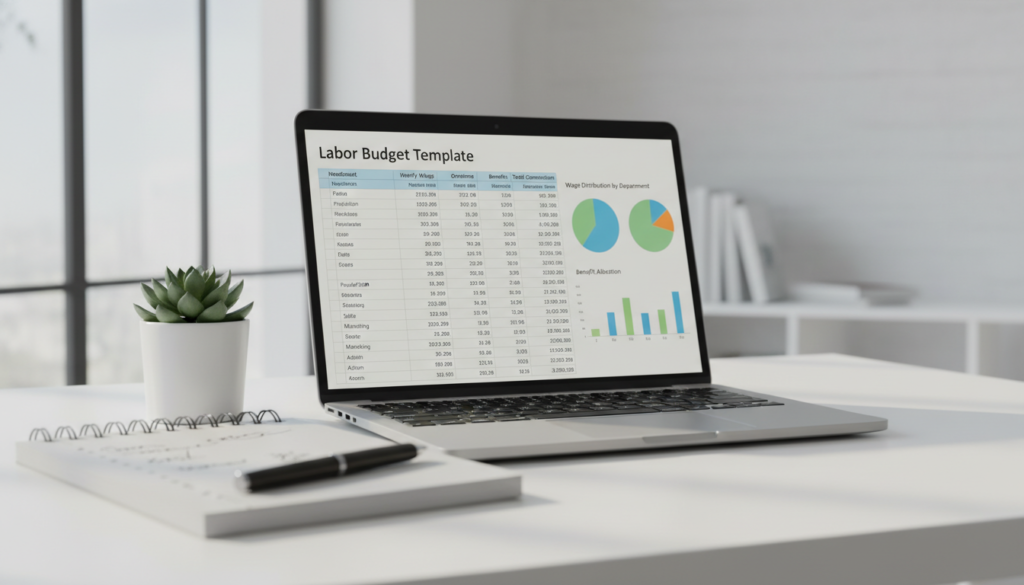
Why a dedicated labor template improves accuracy: payroll drives most monthly costs and affects cash flow, hiring, and pricing. A separate file keeps headcount, wages, and related lines clear for management review.
Key labor lines to include
- Wages: base pay by role, hours, and FTEs.
- Payroll taxes: employer-side Social Security, Medicare, and state taxes.
- Bonuses & commissions: planned variable pay and incentives.
- Benefits: health, retirement matches, and other perks.
- Contractors: hourly or project-based external resources.
Direct vs indirect and fixed vs variable
Categorize each cost so you can run scenarios. Direct labor links to production or billable work. Indirect covers admin and support roles.
Fixed labor is predictable (salaries). Variable labor rises with hours, overtime, or seasonal hires. Tag each line so resource planning is faster.
“Breaking labor into direct/indirect and fixed/variable supports scenario planning and hiring decisions.”
Scenario planning tip: model one hire, a 10% raise, or switching a role to a contractor to see margin impact. That helps protect margins and align staffing with company goals.
Keep the labor template synced to the company plan so headcount reflects real targets, not guesswork. Use it for sustainable staffing, raises, and benefit decisions that support long-term growth.
Startup Budget Template for First-Year Estimates and Funding
A focused one-year template turns startup estimates into a credible pitch for funding. Use it to show lenders or investors how first-year expenses map to runway and milestones.
Typical startup lines to include
- Licensing and permits
- Logo, website design, and domain
- Core software and security installation
- Overhead and one-time capital expenses
Separate one-time launch costs from recurring expenses
List one-time launch costs in a startup capital section so the monthly view stays realistic. Then add recurring operating lines so you can see month-by-month cash needs.
Plan funding sources and conservative estimates
Map investor funding, loans, or founder capital next to each cost line so you won’t run out of money mid-launch. Leave contingency; early finances change fast.
| Item | Type | Why it matters |
|---|---|---|
| Website/domain | One-time | Customer access and credibility |
| Core software | Recurring | Operations and security |
| Licensing | One-time/annual | Legal compliance |
Tip: A clear budget template makes it easier to justify funding because organized numbers build trust with lenders and investors.
Multiple-Project Budget Template for Project-Based Businesses
For teams that deliver by project, a dedicated template reveals true job profitability fast.
Why you need a project-level plan: Profitability often hides at the job level, not in lumped monthly totals. A per-project view shows which work earns margin and which drains cash.
Track COGS, labor, equipment/resources, and indirect costs by project
What to capture: product-specific COGS, direct labor hours and pay, equipment or third-party resource charges, and indirect costs like travel or permits.
Record these consistently so each project gets a true total cost for comparison and invoicing accuracy.
Use project budgets to protect margins and compare performance
Compare budgeted vs actual to spot overruns early and stop small issues from becoming big losses.
Add a compact performance view to compare projects side-by-side — best margins, worst overruns, and most predictable estimates.
This template also helps with planning capacity: staff allocation, schedules, and procurement follow the pipeline instead of guesses. Over time, management gains clarity and can price future work more competitively when past costs are clear.
| Tracked Item | Why it matters | What to test |
|---|---|---|
| COGS by product | Shows direct material cost per job | Change material qty and confirm project total updates |
| Direct labor | Measures true labor burden by project | Adjust hours/rates and check margin impact |
| Equipment & resources | Captures rentals and subcontractor fees | Shift vendor cost and verify project rollup |
| Indirect costs | Includes travel, permits, and admin | Allocate overhead and watch net margin |
For a ready template to start from, see a practical project budget template and format tips at global style guidance.
Administrative Budget Template to Keep Operations Lean
The admin template is your operational snapshot—showing which support costs help growth and which simply drain cash.
Think of this file as the operating system view of your business budget. It captures recurring lines that keep the company running so leadership can spot trends quickly.
Core admin categories to include
- Training and development
- Communication expenses and subscriptions
- Accounting fees and professional services
- Marketing and advertising
- Insurance and depreciation
Separate admin from overhead to sharpen management focus. That makes cost cuts less disruptive and more targeted.
Review admin spend for operational health: ask whether you’re funding training and tools or leaking money on low-value items.
Time-saving tip: use consistent categories and a one-line summary that shows trends without digging through every entry.
“A clear admin view frees up finances to invest in growth where it matters most.”
Departmental Budget Template to Align Teams With Company Goals
Aligning team-level plans with company targets reduces surprises and speeds approvals. A clear department file ties spending to measurable goals so leaders can act with confidence.
Standard department lines
Use the same line items across teams so reports compare apples to apples.
- Salaries — base pay and payroll taxes.
- Operational expenses — tools, subscriptions, and supplies.
- Training — courses, certifications, and development.
- Advertising — campaigns, creative, and media buys.
Centralize updates while preserving ownership
Create one workbook with a tab per department. Each owner updates their tab and leadership reviews a consolidated summary.
| Who | Action | Cadence |
|---|---|---|
| Department head | Update lines and notes | Weekly |
| Finance lead | Roll up totals and flag variances | Monthly |
| Leadership | Review & align to company goals | Quarterly |
Why it helps: standardized templates reduce errors, improve performance tracking, and keep costs and expenses visible. Regular rollups and quarterly deep dives make planning practical and keep teams focused on shared goals.
Result: fewer surprises, faster approvals, and clearer decisions when everyone speaks the same budgeting language.
Event Budget Template for Marketing Teams and One-Off Costs
Treat each event like a mini-project: define clear goals, list every fee, and assign dates so last-minute changes don’t cost you money. A compact event template helps marketing teams stop one-off charges from blowing up the annual budget.
Core event categories to track
- Venue — rental and site fees.
- Catering — headcount, service, and gratuity.
- Entertainment — talent, hosts, or speakers.
- Equipment — AV, staging, and rentals.
- Marketing — promotion, collateral, and ads.
Spotting savings without hurting outcomes
Compare quotes side-by-side and right-size items like catering or rentals. Choose simpler setups when the audience or goals don’t need extras. Track commitments by date so you avoid late fees and missed cancellation windows.
Buy results, not receipts.
Use the template to tie each cost to event goals and expected returns. That makes smarter decisions about spending and protects your overall plan and money.
How to Set Up Your Business Budget in a Spreadsheet
Start with a simple layout that separates transactions and summarizes monthly totals for fast checks. A clean file saves time and makes reviews less painful.
Separate business and personal expenses for cleaner data
Keep personal and company accounts apart. Mixing them hides real costs and complicates taxes. Use separate accounts and vendor labels so every line feeds accurate reports.
Calculate working capital for the budgeting period
Working capital = current assets − current liabilities. Enter bank balances, receivables, and short-term debts so your plan reflects real cash available for the month and year.
List fixed costs and variable costs, then total expenses
Make two simple tables: fixed (rent, subscriptions) and variable (materials, commissions). Sum both to get total expenses and compare against expected income to see runway.
Build in monthly, quarterly, and yearly reviews to adapt to changes
Set calendar reminders for brief monthly checks, a quarterly reforecast, and a yearly review. Accuracy and consistency beat fancy formatting—reviews are what make a budget useful.
Spreadsheet Workflow Tips That Save Time and Improve Accuracy
Consistent steps let teams spot performance shifts before they become problems. Keep the file simple, name columns clearly, and lock calculated cells so edits don’t break totals.
Use filters and categories to keep large budgets manageable
Build a small taxonomy of categories and stick to it. Filters let you slice months, projects, or vendors without copying data.
Tip: add a tidy summary view that pulls category totals so reviewers see the key numbers in one place.
Compare expected vs actual spending to stay on track
Make a two-column variance: expected, actual, and a simple percentage change. Review this weekly to catch overshoots early.
“Small, repeatable checks protect performance more than perfect forecasting.”
Use Excel tools like Copilot to analyze period changes and explain formulas
Copilot can compare periods, call out which categories moved, and explain complex formulas in plain English. Use it to speed review and reduce errors.
Share online for real-time collaboration and export clean reports
Share the file with view/edit roles, keep one source of truth, and limit edit rights on locked tabs. Export formatted PDFs for leadership or lenders so reports look consistent.
| Workflow step | Action | Why it matters |
|---|---|---|
| Standardize categories | Use fixed dropdowns for each line | Improves data quality and easier rollups |
| Weekly variance check | Run expected vs actual and flag >5% | Spots overruns before month-end |
| Use AI tools | Ask Copilot to summarize changes | Faster reviews and formula transparency |
| Controlled sharing | Limit edits, keep one master file | Prevents accidental changes and protects data |
| Export reports | PDFs and reusable charts for decks | Clean reporting without reformatting |
Quick checklist: consistent categories, filters, conditional formatting for overruns, weekly variance, Copilot checks, and one shared file with locked formulas. These steps save time and keep your projections and data under control.
Conclusion
Pick one clear template and make it your source of truth. Customize categories, enter estimates, and update it every month to keep income, expenses, and costs meaningful.
Use cash flow views with a full-year plan so timing and strategy work together. For labor, projects, or departmental needs, pick templates that match those goals.
Start simple: download a budget template, populate key lines, compare expected vs actual, and refine. If complexity grows, consider software later to speed reporting and collaboration.
Take this step now: choose a template, commit to monthly updates, and let the numbers guide smarter marketing, hiring, and resource decisions.